F.01Free + Pro
Live captions and translation, on-device
Speech recognition and translation run on the presenter's Mac or iPhone. Audio never leaves the room; the relay only ever sees text.
54 speech locales · NLLB-200 for Burmese, Lao, Khmer, Shan
Live translation for talks, meetups and events
Live captions, questions and polls on every phone in the room, each in its own language. Your Mac or iPhone listens and translates on-device; the audience scans one QR.
One payment. No subscription. No account. macOS 26 on Apple Silicon. iPhone and iPad app on iOS 26.
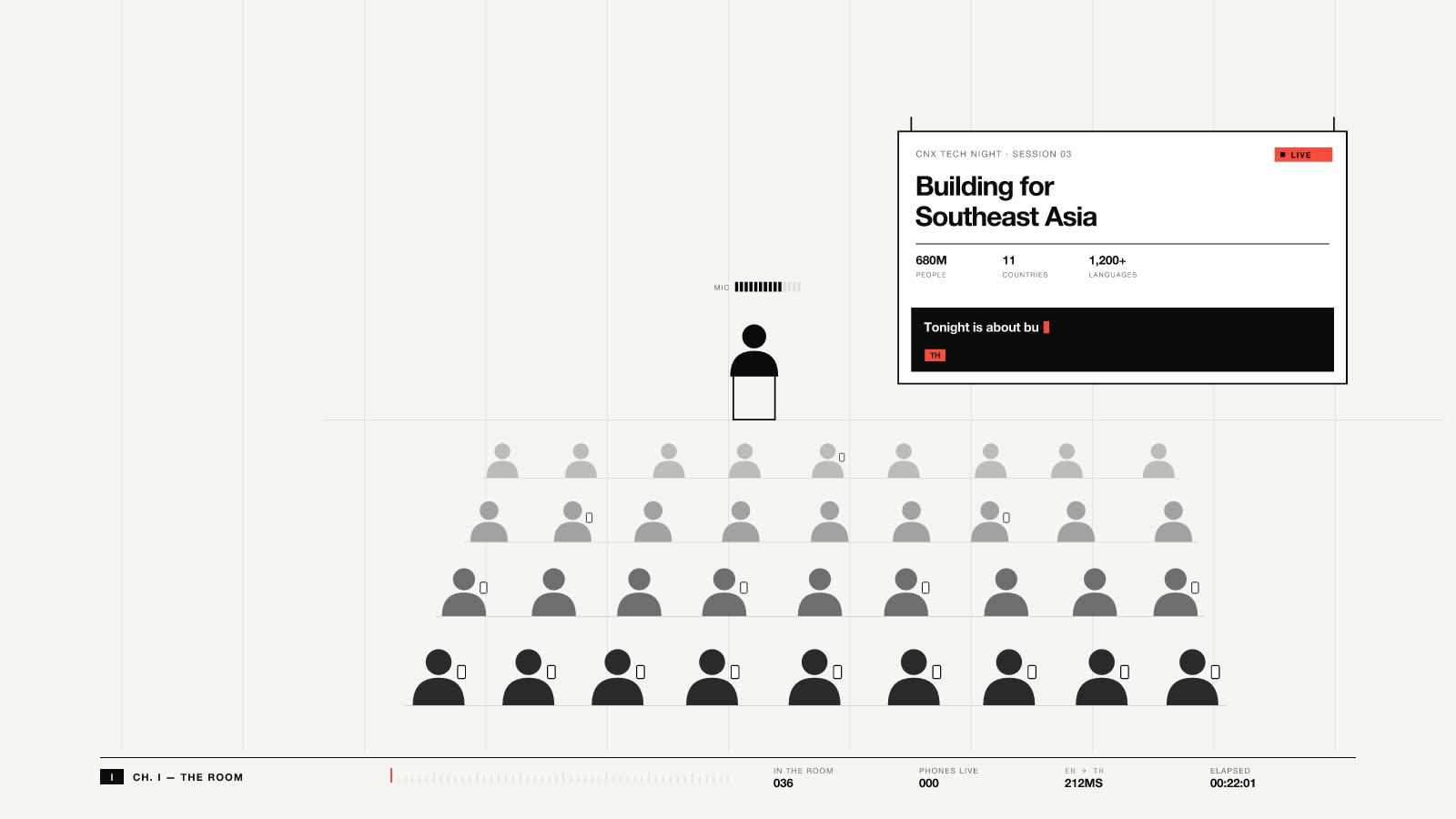
IChapter I · 19:00 · Nimman, Chiang Mai
Almost every night there's a talk in English. The visitors sit up front. The people who live here, who know the city best, sit at the back, if they come at all.
Then the captions arrive, and every phone in the room follows the talk in its own language.
ENTHESZHJACS
IIChapter II · Q&A open
From the back row, someone types in Thai. On the screen it reads in English, and nobody had to stand up and be brave in a second language.
THENAsked in Thai, on stage in English
IIIChapter III · After the applause
The people who liked that question find each other afterwards, with an icebreaker each in their own language. The knowledge stays in the city.
THENWave, accept, meet
Visitors come, spend money and move on, and what they know leaves with them. The long-term win is knowledge exchange: skills, networks and ideas flowing both ways, in both languages, and staying in the city after the visitors go.
JoinInter turns passing through into passing on.
Pick your language and the room's languages, then press Go live. The relay starts inside the app; there's no server to rent.
Attendees scan one code and pick a language. No app to install, no account, nothing to sign.
Every phone follows the talk in its own language, live sentence by sentence or as a running transcript.
Questions arrive in the speaker's language, and the room reads them in theirs. Pin the best one on stage with a click.
After the talk, wave at people who liked your question. Matches get icebreakers grounded in the talk, each in their own language.
JoinInter turns a talk into a multilingual room. Your Mac transcribes and translates on-device. The room scans a QR, reads live captions in its own language, asks in its own language, votes, and meets.
One payment. No subscription. No account. Key verifies offline.
The same live Control room in each of the app's four styles. Switch any time in Settings › Appearance; the stage, the attendee pages and your exports follow.
F.01Free + Pro
Speech recognition and translation run on the presenter's Mac or iPhone. Audio never leaves the room; the relay only ever sees text.
54 speech locales · NLLB-200 for Burmese, Lao, Khmer, Shan
F.02Pro
Attendees ask at any time in their own language. You open a Q&A segment when you're ready, and that's when questions go on stage and reactions unlock.
3→1 same question, all likes kept
F.03Pro
The quietest attendees, often locals following in a second language, will tap a button long before they raise a hand.
⌃⌥⌘P quick poll mid-talk
F.04Pro
Prepare the show the day before: slides, captions strip, QR corner, Q&A rail, poll widget and sponsor strip, laid out as zones on a 16:9 stage.
16:9 any output resolution
F.05Pro
JoinInter is a source, not another streaming app. OBS does the encoding; you get captions, questions and polls as clean video.
3 outputs · program audio rides along
F.06Pro
Standalone mode runs a complete session from an iPhone or iPad: yoga classes, walking tours, monk trails, small meetups. Companion mode pairs phones with your Mac.
0 laptops required
F.07Pro
Everyone leaves with a one-page recap in their own language, by email if they ask for it. You keep the complete, timestamped record.
JSON · CSV · PDF · MD
F.08Free + Pro
Questions connect people. Wave at someone who liked your question; once they accept, you both see how to spot each other.
0 API keys needed
F.09Free + Pro
The relay is built into the app and starts with Go live. Choose how phones reach it.
brave-pixel-70.joininter.link
Speech recognition and translation run on the presenter's Mac or iPhone. No recording is uploaded, ever.
The relay only carries text, keeps rooms in memory and forgets them after 12 hours idle.
A random device ID, no account and anonymous questions. Contact details go only to accepted matches.
Analytics and ad measurement load only after you opt in. Change your mind any time under Cookie settings.
Free runs your talk on your own Mac: captions, translation, a public link and Q&A, with no key and no account. Pro adds polls, Q&A 2.0, the stage, stream output and recaps for $30, once, with every 1.x update. Hosted is for the parts that need our servers.
Get Pro — $30 lifetimeFreeno key, no account, no server of ours
Your talk, captioned and translated, with phones joining your own Mac from anywhere.
$30once, lifetime (all 1.x updates)
Everything in Free, plus the show: polls, the full Q&A, the stage, your stream and a recap afterwards.
Waitlistper event or monthly, opening soon
Pro plus the parts that need our servers.
Contactcontract
Conferences, venues and broadcast crews.
| Feature | Free | Pro · $30 once |
|---|---|---|
| On-device captions and translation | Included | Included |
| Phones join this Mac: Wi-Fi, hotspot, works offline | Included | Included |
| Public link from anywhere (quick tunnel, nothing to install) | Included | Included |
| Q&A: ask in any language, likes, you answer | Included | Included |
| Meet: matching and icebreakers | Included | Included |
| Your own relay | Included | Included |
| iPhone and iPad host on Wi-Fi or a hotspot | Included | Included |
| Live polls and word clouds | Not included | Included |
| Q&A 2.0: moderation, threads, merges, AI themes, reactions | Not included | Included |
| Stage shows and canvas on a second screen, recording | Not included | Included |
| Stream output: browser source, virtual camera, NDI | Not included | Included |
| Recaps for attendees and the recap by email | Not included | Included |
| Branded <meetup>.joininter.link | Not included | Included |
T.2Hosted waitlist
Registration and check-in, chats that outlive the laptop, hosted recaps and bigger rooms.
Anything else, write to hello@joininter.com. A person in Chiang Mai answers.
No. Attendees scan a QR code and JoinInter opens in their phone's browser. They pick a language, read along, ask and meet. No account, nothing to install.
No. Speech recognition and translation run on the presenter's Mac or iPhone. The relay only ever sees text, keeps rooms in memory and forgets them after 12 hours idle.
Speech input covers 54 locales. Apple Translation covers 19 languages (38 with regional variants) on-device, and the Mac adds NLLB-200 for languages Apple lacks, such as Czech, Burmese, Lao and Khmer. The attendee interface is in English, Thai, Chinese, Japanese, Czech, German, Spanish, French and Ukrainian.
JoinInter Free needs no key: on-device captions and translation, phones joining your Mac over Wi-Fi, a hotspot or a free public link, and Q&A where attendees ask and you answer. Pro adds polls, Q&A 2.0, the stage, stream output, recaps and a branded link, in the same signed app, with all 1.x updates. It's a one-time purchase with no subscription and no account. The key verifies offline, so it works at events with no internet.
For in-room events, yes, and it translates. Slido-style tools assume everyone speaks the language of the talk. JoinInter translates captions, questions, replies and polls for every attendee, runs on-device, and has no per-event fees.
Yes. Run the relay over the venue Wi-Fi or a phone hotspot and everything except the public link works offline: captions, translation, Q&A, polls and Meet.
The built-in relay handles a full meetup room; we test 200 phones at once. The one-click public link has a cap of about 200 connections. Larger audiences are what Hosted and Enterprise are for.
Yes. JoinInter outputs a browser source, a virtual camera and NDI, either as the full stage or as a transparent overlay of captions, questions and polls. OBS does the encoding and streaming.
Yes. Standalone mode runs a whole session from an iPhone or iPad over its own hotspot. AI icebreakers and the extended NLLB languages need a Mac; on iPhone, rooms use localized template icebreakers and Apple's languages.
Attendees get a random device ID and can stay nameless. Anonymous questions stay anonymous, even to the speaker, until both people accept a wave. Contact details are shared only with accepted matches, and you choose how long each event keeps its data.